3 days free
Choose Start 3-day trial in the app and confirm the free trial with Apple. All features are available for 72 hours from activation. Downloading or opening DiskDial does not start the clock.
 DiskDial
3-day trial · One-time unlock
Your disk space, a click away in the menu bar. Try every feature free for 3 days, then keep full access with one purchase: €9.00 in Spain. The final price depends on your country and is shown by the App Store. No automatic charge.
macOS 13 or later · Apple silicon & Intel
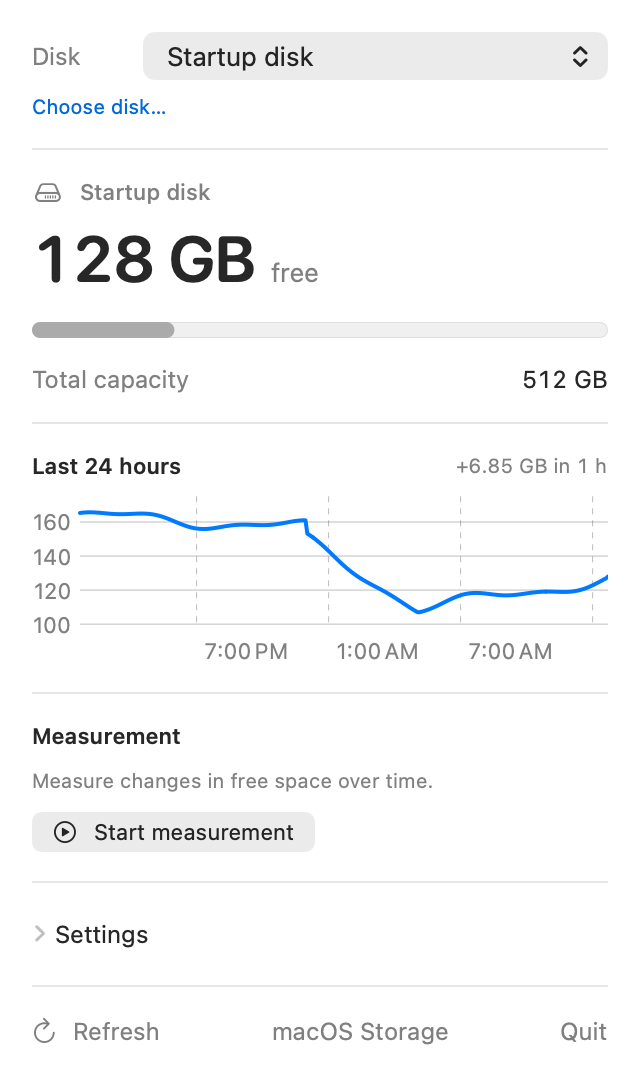
24 hoursof history, kept on your Mac
2-second readingsduring a measurement
Read-onlyaccess to drives you choose
Full access starts when you choose to activate the trial. No subscription and no automatic charge.
Choose Start 3-day trial in the app and confirm the free trial with Apple. All features are available for 72 hours from activation. Downloading or opening DiskDial does not start the clock.
Buy lifetime access at any time to keep using DiskDial after the trial. This is the price in Spain; the final price depends on your country and is shown by the App Store. The purchase has no recurring payment.
After 72 hours, continued monitoring and other app features require the lifetime unlock. Saved history, results, and preferences remain on your Mac. Nothing is charged automatically.
Use Restore Purchases after reinstallation or on another Mac with the same Apple Account. Apple handles activation, payment, and restoration; these actions may need an internet connection.
For the installations, downloads, builds, and everyday work that change the space on your Mac.
Follow your startup disk or a connected drive. DiskDial remembers the selection and keeps each disk’s history and measurement result separate.
See the last 24 hours in one chart. Readings refresh about once a minute while the app is running, with visible gaps when there are no measurements.
Choose a free-space threshold. A warning mark in the menu bar tells you when the selected disk is below it. System notifications are optional.
Choose whether DiskDial launches at login. Open macOS Storage from the panel when you want the system’s view of your storage.
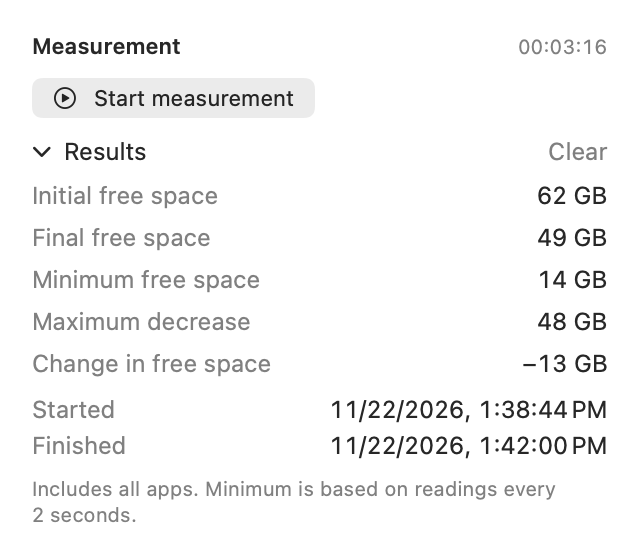
Before. During. After.
Installing something large? Building a project? Start a measurement before you begin and finish it when you are done.
Measurements include activity from all apps on the selected disk. The minimum is based on periodic readings, so a brief change between readings can be missed.
History, results, and preferences stay on your Mac. DiskDial has no advertising, analytics, or tracking. Apple handles trial activation and purchases; no separate DiskDial account is needed.
Read the privacy policy
Find answers, understand a reading, or send a question.